

How to link series to a page on Hashnode

For beginners, such as myself, linking your series to a page can be challenging. I had to run back and forth for a while, googling several inquiries at the same time, and it took me two days of frantic searching to discover it. These are some of the steps I took, and I hope they may lead you in the right way as well.
Series board
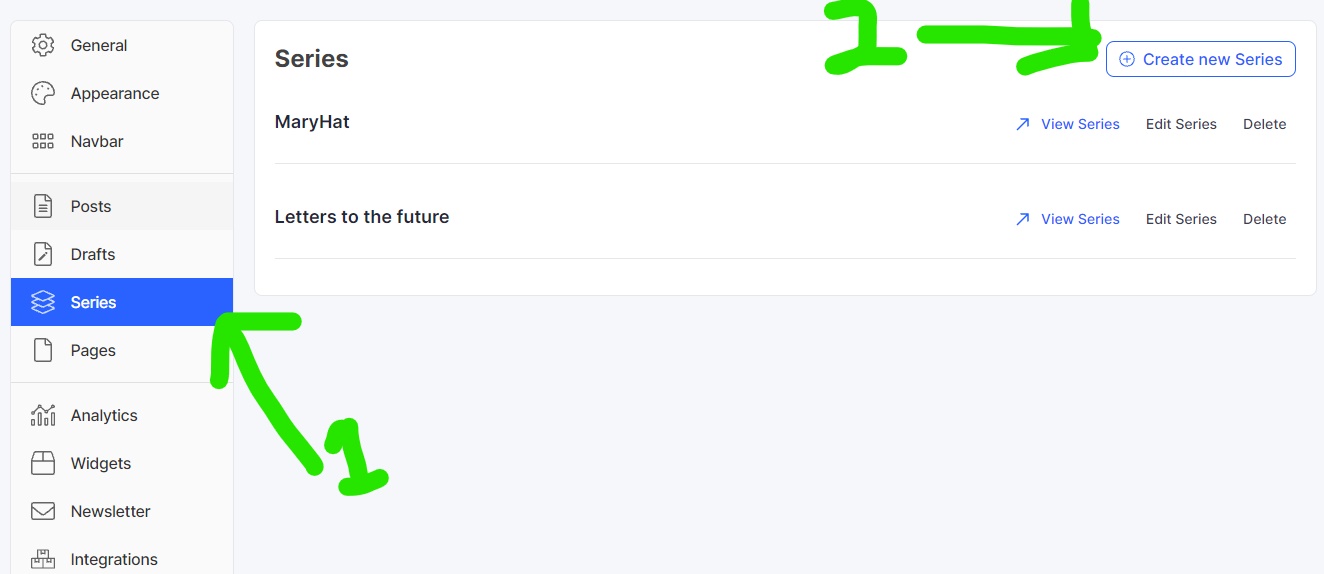
First and foremost, click on the series button, then on Create new Series board, as seen in the image below:
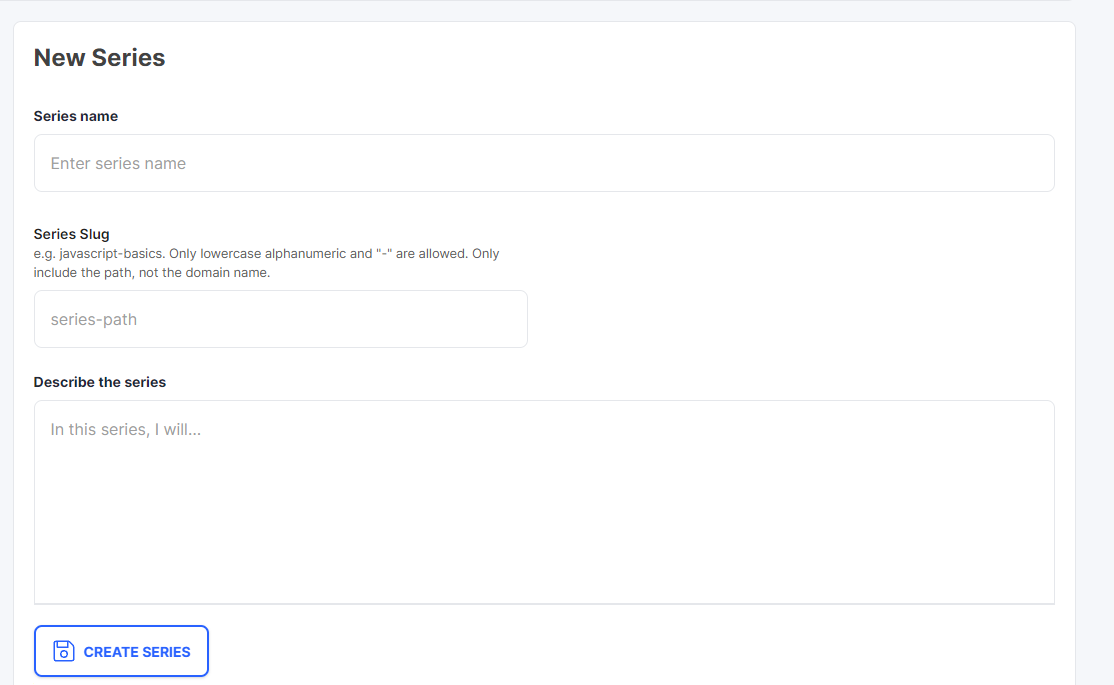
Add the series name and slug to the new series board and a description. Be as precise as possible.
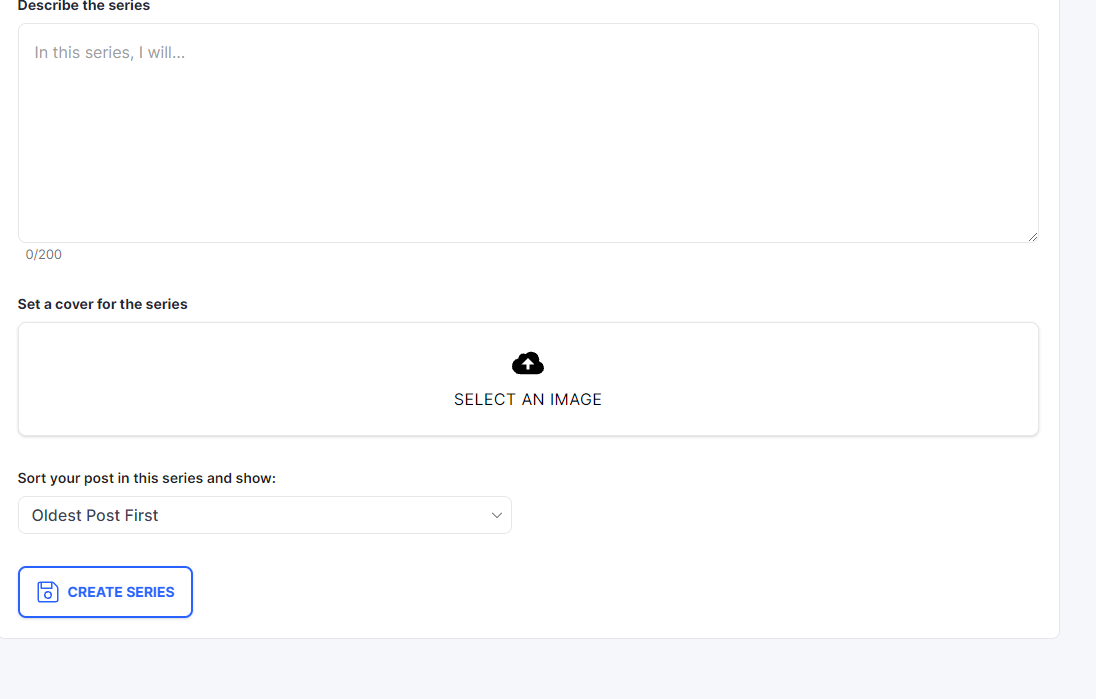
Add a series cover image and specify whether you want your series to appear in chronological order, with the most recent post appearing first or the oldest post appearing first. You can now select the Create series option.
Navbar
Click on the Navbar and click on Add an item button
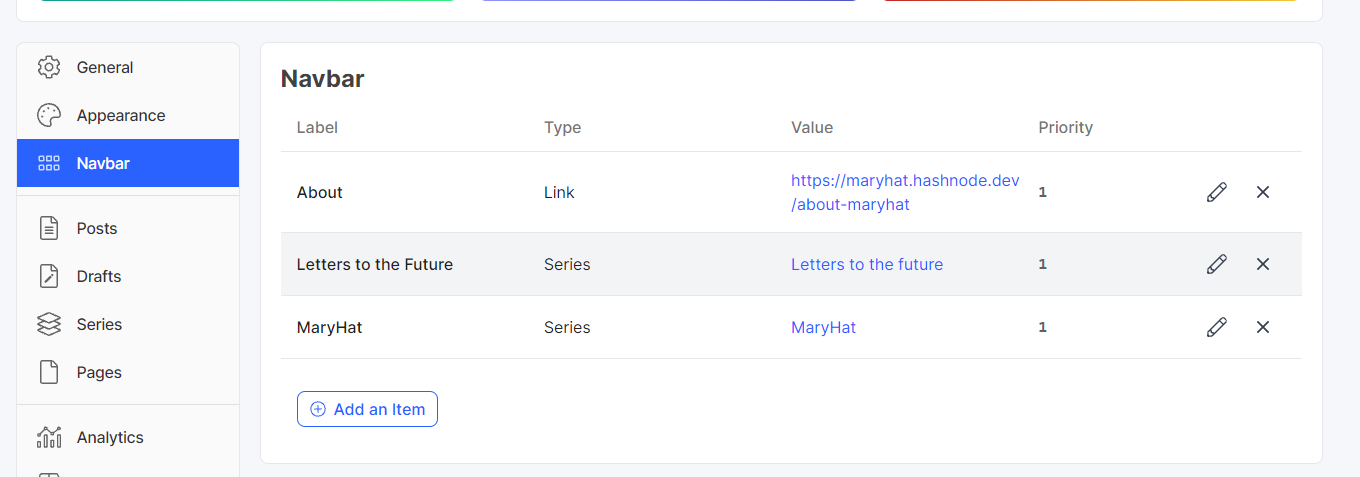
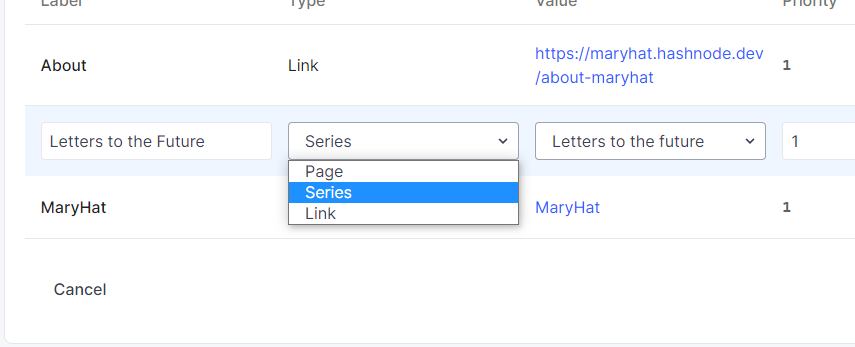
Add a label; in this case, I used the name of the Series I had previously established.
In the value section, I clicked on the correct series I wanted to add.
Priority was initially a challenge for me. Aside from the Home page, I discovered that your blog's labels are arranged in descending order. You can add as many navbars as you want if you number them appropriately.
Conclusion
I hope my images are clear enough for you to see and my explanation provided you with the exact information you needed, and if you have any other information to share, you have complete control over the comment section. You can check out https://support.hashnode.com/docs/series/ for more.


